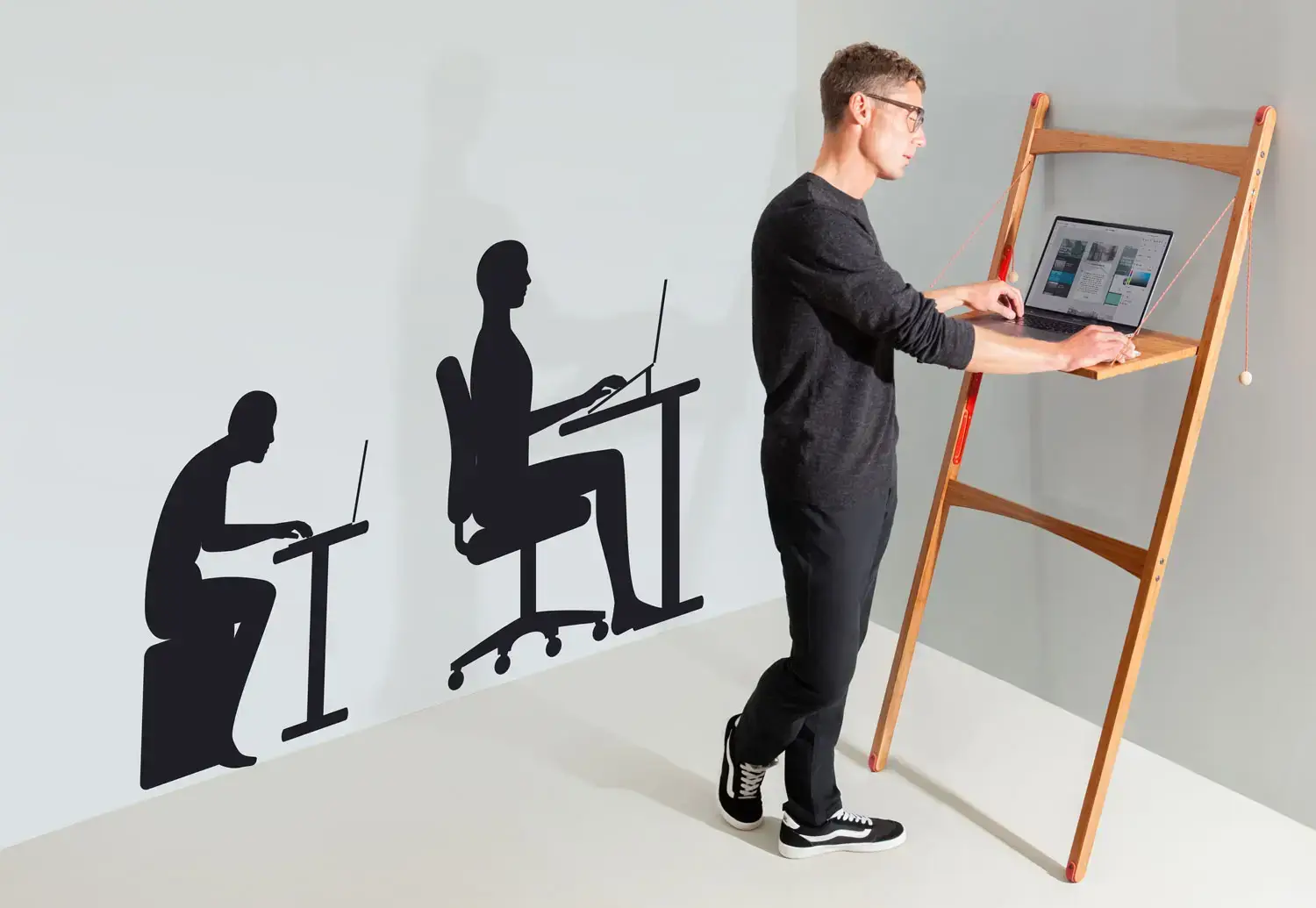
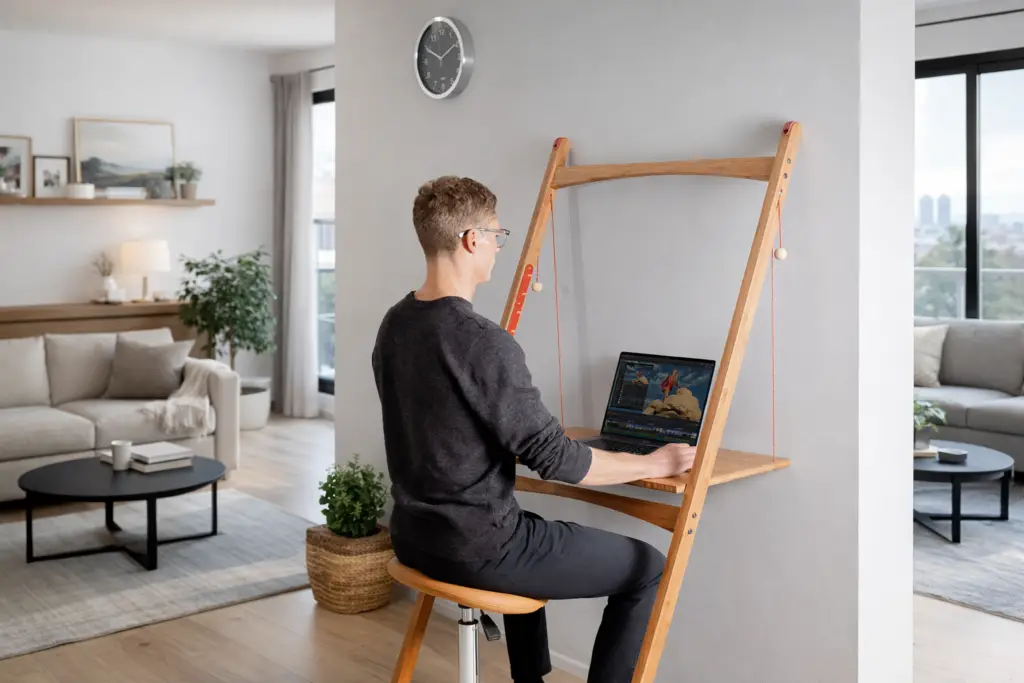
Flexible workspaces haven’t always been the norm, in-fact the workplace was once a symbol of rigid conformity. It has however, undergone a seismic transformation over the last century. What started as rows of identical desks under fluorescent lights has evolved into dynamic spaces designed to nurture creativity, flexibility, and well-being. And now, in an era dominated by hybrid and remote work, the home office stands at the pinnacle of this evolution.
In this article, we’ll explore the fascinating journey of workspace design, examine the rise of standing desks like those from Leandesk, and understand why adaptable home setups are no longer a luxury but a necessity.
The Rise and Fall of the Traditional Office
Ah, the traditional office: a place where souls went to die and neck pain was an inevitable rite of passage. In the early 20th century, offices were modelled after factories, prioritising efficiency over everything else. Rows of identical desks were crammed together, with little thought given to comfort or individuality. Ergonomics? Never heard of them.
By the mid-century, corporate culture was king. Think Mad Men—plush chairs, mahogany desks, and an endless supply of ashtrays. Offices were designed to impress, not to support the well-being of employees. If your back hurt by 4 PM, it was probably your suit’s fault.
Before flexible workspaces, showing Seattle Hardware Company employees working at desks, Seattle, ca 1923
The Open-Plan Revolution (or Mistake?)
Fast forward to the late 20th century, and someone had the bright idea of tearing down walls. The open-plan office promised collaboration and innovation but often delivered noise and distraction. While the space-saving design pleased management, employees were left battling sensory overload and a chronic inability to find a quiet corner to work.
Open-plan offices taught us one thing: what works for some doesn’t work for all. The need for adaptable, personalised workspaces became glaringly apparent, paving the way for the ergonomic revolution.
Embracing the idea of modular flexibility. USA Government office furniture C.1998
Enter the Era of Ergonomics
The late 1990s and early 2000s saw a newfound focus on employee well-being. Suddenly, chairs were adjustable, desks were spacious, and lumbar support was more than a fancy phrase. Standing desks made their grand entrance, backed by research linking sedentary lifestyles to health issues ranging from poor posture to heart disease. Leandesk, with its sleek, bamboo designs, is the modern embodiment of this ergonomic enlightenment.
At first, standing desks were met with skepticism. “Stand and work? What’s next, a treadmill in the meeting room?” But as studies mounted, the benefits became undeniable. Reduced back pain, better circulation, and even increased productivity turned skeptics into converts.
Some ergonomic innovations outlived others.
Ergonomic everything! Microsoft Natural Keyboard Pro, cira Q4 1999
The Pandemic Pivot: Workspaces Go Home
Then came 2020, the year that turned the world—and every spare bedroom—into an office. Companies scrambled to adapt, and employees, armed with makeshift desks and questionable Wi-Fi, discovered just how ill-equipped their homes were for full-time work. Cue the rise of the home office revolution.
Suddenly, people realised they needed more than just a kitchen table and a laptop. Enter Leandesk: the standing desk that’s as functional as it is beautiful. With a focus on sustainability and adaptability, Leandesk proved that ergonomic solutions could seamlessly blend into any home decor, from minimalist studios to sprawling suburban dens.
Flexible workspace/living room. Joining a video call from the coffee table while working from home. Photo: Christophe Licoppe
Why the Future is Flexible Workspaces
As we move forward, one thing is clear: the workspace is no longer a one-size-fits-all concept. The future belongs to flexible, adaptable designs that cater to individual needs. Hybrid work models demand setups that are as dynamic as the workers using them. And yes, standing desks like Leandesk are leading the charge.
What makes Leandesk a standout choice? It’s not just the bamboo (though we’ll admit, the eco-conscious material is a big plus). It’s the ability to shift between sitting and standing with ease, creating a workspace that evolves as you do. It’s the aesthetic, which manages to be both modern and timeless. It’s the understanding that a well-designed desk isn’t just furniture—it’s a tool for better living.
A illustrative composition showing the multiple positions Leandesk is capable of, supporting any flexible workspace.
Ideas That Matter: Ergonomics, Standing Desks, Flexible Workspaces
As the evolution of workspace design continues, these three pillars—ergonomics, standing desks, and flexible workspaces—remain central to the conversation. They represent not just trends, but fundamental shifts in how we approach productivity and well-being.
At Leandesk, we don’t just follow these principles; we embody them. Our desks are designed to support your health, enhance your productivity, and look good while doing it. Because why shouldn’t your workspace work as hard as you do?
Final Thoughts: From Fixed to Flexible Workspaces.
The journey from rigid offices to customisable home setups has been anything but linear. It’s a story of trial, error, and finally, innovation. And while we can’t say goodbye to all work woes, the evolution of workspace design has given us tools to tackle them head-on.
So here’s to the standing desk revolution, to bamboo elegance, and to never settling for a workspace that doesn’t work for you. The future of work may be uncertain, but one thing’s for sure: your desk is ready for it. Are you?
Contains information related to marketing campaigns of the user. These are shared with Google AdWords / Google Ads when the Google Ads and Google Analytics accounts are linked together.
90 days
__utma
ID used to identify users and sessions
2 years after last activity
__utmt
Used to monitor number of Google Analytics server requests
10 minutes
__utmb
Used to distinguish new sessions and visits. This cookie is set when the GA.js javascript library is loaded and there is no existing __utmb cookie. The cookie is updated every time data is sent to the Google Analytics server.
30 minutes after last activity
__utmc
Used only with old Urchin versions of Google Analytics and not with GA.js. Was used to distinguish between new sessions and visits at the end of a session.
End of session (browser)
__utmz
Contains information about the traffic source or campaign that directed user to the website. The cookie is set when the GA.js javascript is loaded and updated when data is sent to the Google Anaytics server
6 months after last activity
__utmv
Contains custom information set by the web developer via the _setCustomVar method in Google Analytics. This cookie is updated every time new data is sent to the Google Analytics server.
2 years after last activity
__utmx
Used to determine whether a user is included in an A / B or Multivariate test.
18 months
_ga
ID used to identify users
2 years
_gali
Used by Google Analytics to determine which links on a page are being clicked
30 seconds
_ga_
ID used to identify users
2 years
_gid
ID used to identify users for 24 hours after last activity
24 hours
_gat
Used to monitor number of Google Analytics server requests when using Google Tag Manager
1 minute
Hotjar is a behavior analytics tool that helps site owners understand how visitors use their site through heatmaps, session recordings, surveys, and feedback widgets.
This cookie checks if the Hotjar Tracking Code can use Session Storage. If it can, a value of 1 is set.
Session
_hjTLDTest
When the Hotjar script executes we try to determine the most generic cookie path we should use, instead of the page hostname. This is done so that cookies can be shared across subdomains (where applicable). To determine this, we try to store the _hjTLDTest cookie for different URL substring alternatives until it fails. After this check, the cookie is removed.
session
_hjCookieTest
This cookie checks to see if the Hotjar Tracking Code can use cookies. If it can, a value of 1 is set.
Session
_hjUserAttributesHash
User Attributes sent through the Hotjar Identify API are hashed and cached in this cookie so Hotjar knows when an attribute has changed and needs to be updated. The cookie is refreshed while the visitor stays active.
2 minutes
_hjCachedUserAttributes
This cookie stores User Attributes which are sent through the Hotjar Identify API, whenever the user is not in the sample. These attributes will only be saved if the user interacts with a Hotjar Feedback tool.
session
_hjLocalStorageTest
This cookie is used to check if the Hotjar Tracking Script can use local storage. If it can, a value of 1 is set in this cookie. The data stored in_hjLocalStorageTest has no expiration time, but it is deleted immediately after creating it so the expected storage time is under 100ms.
under 100ms
_hjHasCachedUserAttributes
This cookie lets Hotjar know whether the User Attributes cached in the _hjUserAttributes local storage item are up to date.
session
_hjid
Hotjar cookie. This cookie is set when the customer first lands on a page with the Hotjar script. It is used to persist the random user ID, unique to that site on the browser. This ensures that behavior in subsequent visits to the same site will be attributed to the same user ID.
365 days
hj_visitor
hotjar uses cookies to enhance the user’s experience on our website, for example to complete forms, navigating the site, and identify returning users and offer related content. Users can control the use of cookies at the individual browser level.
Session
_hjIncludedInSample
Hotjar cookie. This session cookie is set to let Hotjar know whether that visitor is included in the sample which is used to generate funnels.
365 days
_hjClosedSurveyInvites
Hotjar cookie. This cookie is set once a visitor interacts with a Survey invitation modal popup. It is used to ensure that the same invite does not re-appear if it has already been shown.
365 days
_hjDonePolls
Hotjar cookie. This cookie is set once a visitor completes a poll using the Feedback Poll widget. It is used to ensure that the same poll does not re-appear if it has already been filled in.
365 days
_hjMinimizedPolls
Hotjar cookie. This cookie is set once a visitor minimizes a Feedback Poll widget. It is used to ensure that the widget stays minimizes when the visitor navigates through your site.
365 days
_hjDoneTestersWidgets
Hotjar cookie. This cookie is set once a visitor submits their information in the Recruit User Testers widget. It is used to ensure that the same form does not re-appear if it has already been filled in.
365 days
_hjMinimizedTestersWidgets
Hotjar cookie. This cookie is set once a visitor minimizes a Recruit User Testers widget. It is used to ensure that the widget stays minimizes when the visitor navigates through your site.
365 days
_hjShownFeedbackMessage
This cookie is set when a visitor minimizes or completes Incoming Feedback. This is done so that the Incoming Feedback will load as minimized immediately if they navigate to another page where it is set to show.
365 days
_hjptid
This cookie is set for logged in users of Hotjar, who have Admin Team Member permissions. It is used during pricing experiments to show the Admin consistent pricing across the site.
session
_hjAbsoluteSessionInProgress
The cookie is set so Hotjar can track the beginning of the user's journey for a total session count. It does not contain any identifiable information.
30 minutes
_hjFirstSeen
The cookie is set so Hotjar can track the beginning of the user's journey for a total session count. It does not contain any identifiable information.
30 minutes
_hjIncludedInPageviewSample
This cookie is set to let Hotjar know whether that visitor is included in the data sampling defined by your site's page view limit.
30 minutes
_hjIncludedInSessionSample
This cookie is set to let Hotjar know whether that visitor is included in the data sampling defined by your site's daily session limit
30 minutes
_hjSession_
A cookie that holds the current session data. This ensues that subsequent requests within the session window will be attributed to the same Hotjar session.
30 minutes
_hjSessionUser_
Hotjar cookie that is set when a user first lands on a page with the Hotjar script. It is used to persist the Hotjar User ID, unique to that site on the browser. This ensures that behavior in subsequent visits to the same site will be attributed to the same user ID.
365 days
_hjSessionTooLarge
Causes Hotjar to stop collecting data if a session becomes too large. This is determined automatically by a signal from the WebSocket server if the session size exceeds the limit.
session
_hjSessionRejected
If present, this cookie will be set to 1 for the duration of a user’s session, if Hotjar rejected the session from connecting to our WebSocket due to server overload. This cookie is only applied in extremely rare situations to prevent severe performance issues.
session
_hjSessionResumed
A cookie that is set when a session/recording is reconnected to Hotjar servers after a break in connection.
session
hjViewportId
This cookie stores user viewport details such as size and dimensions.
Session
Track user interactions on your site with to optimize engagement and conversions.
Name
Description
Duration
_monsterinsights_uj
Stores anonymized user navigation history on the website, including visited URLs, page titles, and referrer information. It helps site owners analyze user journeys for improved site experience and analytics.
365 days
Google reCAPTCHA helps protect websites from spam and abuse by verifying user interactions through challenges.
Name
Description
Duration
_GRECAPTCHA
Google reCAPTCHA sets a necessary cookie (_GRECAPTCHA) when executed for the purpose of providing its risk analysis.
179 days
SourceBuster is used by WooCommerce for order attribution based on user source.
Name
Description
Duration
sbjs_session
The number of page views in this session and the current page path
30 minutes
sbjs_udata
Information about the visitor’s user agent, such as IP, the browser, and the device type
session
sbjs_first
Traffic origin information for the visitor’s first visit to your store (only applicable if the visitor returns before the session expires)
session
sbjs_current
Traffic origin information for the visitor’s current visit to your store
session
sbjs_first_add
Timestamp, referring URL, and entry page for your visitor’s first visit to your store (only applicable if the visitor returns before the session expires)
session
sbjs_current_add
Timestamp, referring URL, and entry page for your visitor’s current visit to your store
session
sbjs_migrations
Technical data to help with migrations between different versions of the tracking feature
session
Marketing cookies are used to follow visitors to websites. The intention is to show ads that are relevant and engaging to the individual user.
Facebook Pixel is a web analytics service that tracks and reports website traffic.